
Hey there, fellow IBM i RPG Nerds. I was revisiting a couple of old posts about source code commenting and compile directives and it got me thinking about these marvelous, often overlooked features of IBM-i source code.
Today, let’s dive into RPG compiler directives!
If you have ever stared at a mile-long compiler listing wondering why it looks like it was formatted by a sleep-deprived robot, or you keep copying the same prototypes into every program, then today is your lucky day. Compiler directives are the humble lines that start with a forward slash and quietly make your life easier.
RPG Compiler Directives are Your Handy Little /Slash Commands for Tidy Listings and Smarter Code
These little beasts let you control headings, spacing, insert external source members, and even make the compiler think conditionally. All without writing a single line of actual business logic. Pure programmer magic. And yes, they work in both fixed-form and fully free-form source.
Let’s walk through them one by one, with real-world tips and the occasional titillation.
The Classics: /TITLE, /EJECT and /SPACE
First up, the printed listing formatting crew.
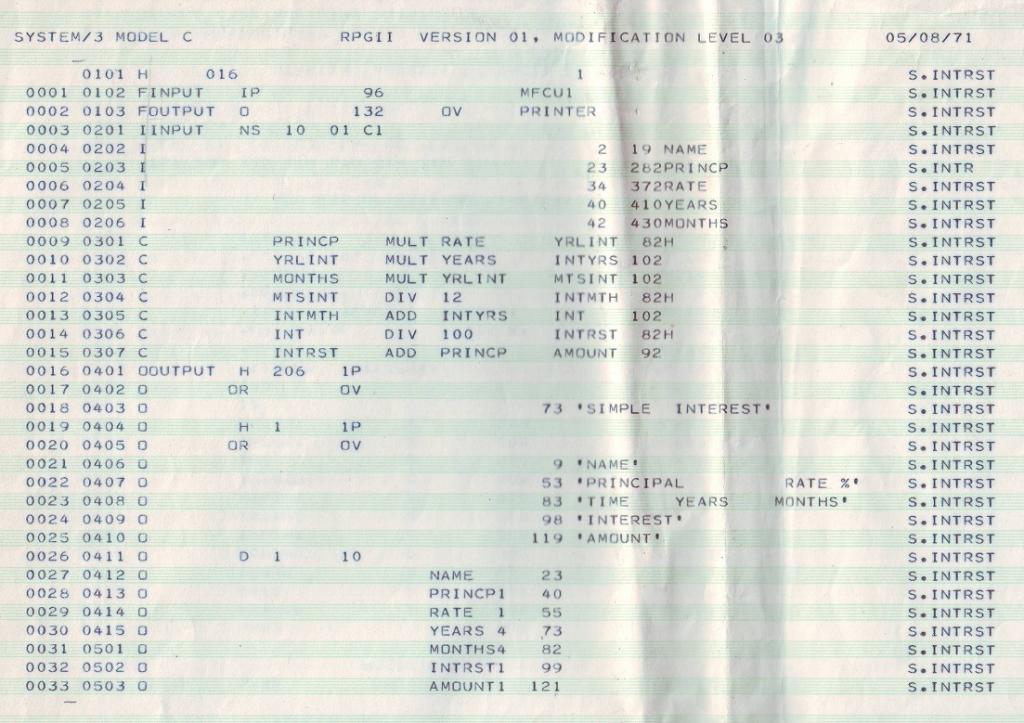
My days of printing massive programs listing are way behind me. Back in the day, we used to stand by our huge roller driven printers, with boxes of green striped paper waiting for program listings to spew onto boxes of wide format paper. Mainly because screens were slow, SEU limited us to 20 lines of code viewing at a time and modern IDE’s hadn’t been invented yet. Having said this, these are useful to learn and something I still use on occasion.
/TITLE Want your compiler listing to look professional (or at least not scream “I copied this from 1995”)? Drop a /TITLE directive at the top. It prints whatever text you want at the top of every page. Security classification, program name, “Property of the coolest RPG team on the planet” whatever floats your boat.
Just remember: it must be followed by a blank, and it forces a page break before printing. Multiple /TITLE statements are allowed; the latest one wins. And no, you cannot sneak it inside a free-form statement. The compiler has rules.
/EJECT Sometimes you just need a clean break. /EJECT tells the compiler “new page please”. If you are already at the top of a page it does nothing. No wasted paper, the spool file is smarter than you think. Perfect for separating major sections of your source so the poor soul who maintains your code in 2035 can actually read it.
/SPACE Control those blank lines like a boss. /SPACE followed by a number (1 to 112) adds extra spacing in the source section of the listing. Greater than 112? The compiler caps it at 112 because it knows you get carried away. It is like telling the printer “give me some breathing room before the next D-spec tsunami”.
None of these three prints on the actual listing, they just do their job behind the scenes. Quiet heroes.
/SET and /RESTORE – Temporary Compiler Personality Changes
This pair is pure gold for copy books and reusable code. Imagine you have a /COPY member that needs a specific date format or CCSID. You do not want to force every calling program to change its control specs. Enter /SET.
You can temporarily override:
- CCSID(*CHAR : nn)
- CCSID(*GRAPH : nn)
- CCSID(*UCS2 : nn)
- DATFMT(format)
- TIMFMT(format)
Then, when you are done, /RESTORE puts everything back exactly as it was. Or you can restore only some keywords. Nesting is allowed, so go wild (within reason).
The compiler even does an implicit restore at the end of any /COPY or /INCLUDE member. Smart, right? No more “why is my date format suddenly *ISO in production?” moments.
Here is a quick example from real life (slightly simplified):
CTL-OPT CCSID(*CHAR : *UTF8) CCSID(*GRAPH : 835) DATFMT(*YMD);

DCL-S char1 char(10);                 // uses *UTF8

/SET CCSID(*CHAR : 37) CCSID(*UCS2:1200)
DCL-S char2 char(10);                 // now 37
/RESTORE CCSID(*CHAR)

DCL-S ucs1 UCS2(10);                  // still 1200
See? Temporary override without side effects. I love it more than a scary movie, cheese board and bottle of red plonk on Fridays.
/OVERLOAD DETAIL | NODETAIL
Working with overloaded prototypes? Sometimes you want the compiler to spill all the juicy details about which candidate it picked. Throw /OVERLOAD DETAIL before the calls you care about and watch the “Overloaded Prototypes” section of the listing light up like a Christmas tree.
Switch to NODETAIL when you do not want the noise. The most recent directive wins for each statement. Handy when debugging tricky overload resolution.
/CHARCOUNT NATURAL | STDCHARSIZE
String handling nerds, this one is for you.
- NATURAL tells the compiler to treat strings by the natural size of each character (great for mixed Unicode work).
- STDCHARSIZE sticks to the old-school byte counting (alphanumeric = 1 byte, UCS-2/graphic = 2 bytes).
Pick the one that matches how your brain thinks about the data. Your future self will thank you when the Unicode police show up.
/COPY and /INCLUDE – The Copy-Paste That Actually Works
The dynamic duo of reusable code. Both do the same job: pull in an external member at compile time. The difference only matters if you use embedded SQL (see the SQL precompiler docs for the subtle rules).
You can copy from:
- Traditional IBM i library/file/member (QRPGLESRC is the default)
- IFS files (absolute or relative paths, with or without .rpgle suffix)
- NOTE: /COPY and /INCLUDE do not need to contain the IFS folder names when copying into source using VS-CODE or IBM BOB
Nesting is supported up to the COPYNEST limit (default 32). Try not to nest copies withing too many other copybooks, use conditional compilation guards in your copy members so you never get infinite loops. Nobody wants that.
Example:
// copy from a source file
/COPY MBR1
/INCLUDE SRCFIL,MBR2

// copy from ifs
/COPY /dir1/dir2/myprototypes.rpgle

// copy from IFS within VSCODE or IBM BOB (where '/dir1/dir2/' is defined within the Project Explorer)
/COPY "myprototypes.rpgle"
Place your exported procedure prototypes in a separate member and /COPY it everywhere. Maintenance heaven.
Conditional Compilation The “If This Then That” of Source Code
Now we get to the really clever stuff.
This is what I meant a second ago when I said “Try not to nest copies”
/DEFINE and /UNDEFINE let you set or remove condition names. /IF, /ELSEIF, /ELSE, /ENDIF let you include or exclude whole blocks of source. /EOF says “I am done with this member stop reading now”.
The compiler even gives you some predefined conditions for free:
- *ILERPG
- *CRTBNDRPG / *CRTRPGMOD
- *V5R1M0 style release checks
- *THREAD_CONCURRENT / *THREAD_SERIALIZE
Perfect for writing code that works on multiple releases or behaves differently in modules vs programs.
A classic use case: prevent multiple inclusion of a copy member.
 /IF DEFINED(XYZ_COPIED)
      /EOF
 /ELSE
      /DEFINE XYZ_COPIED
      // actual code here
 /ENDIF
First time through = compile the code. Second time = instant exit. Beautiful.
/FREE and /END-FREE = Rest in Peace
Just a quick public service announcement: these two directives are deprecated. The compiler will accept them, check the syntax, then completely ignore them. Free-form calculations no longer need the training wheels. You are free (pun intended) to write fully free-form source with ** FREE in column 1 if you want the whole member free-form.
Final Thoughts While I slurp my tea
Compiler directives are one of those RPG features that do not get the glory, yet they quietly save you hours of frustration. Whether you are tidying listings, managing CCSIDs across copy books, or writing release-agnostic code, these /slash commands are your friends.
Next time you are fighting with a messy compile listing or a copy member that behaves differently depending on who includes it, reach for the right directive. Your future self, and the poor maintainer who inherits your code, will buy you a virtual beer.
Got a favourite directive trick I missed? Drop it in the comments. I am always happy to learn new ways to make RPG even more enjoyable on IBM i.
So, until next time, keep your source clean, your listings readable, and your source comments on point!
Happy compiling!
