
I wrote a blog earlier to day with lots of source code and comments in it. I wanted the program code that I included to really standout and be very readable and easy to copy/paste. The current CSS layout uses <PRE> which gives me a nice way of marking blocks of code and displaying them. When I put <pre>around something</pre> it already looks reasonably nice:
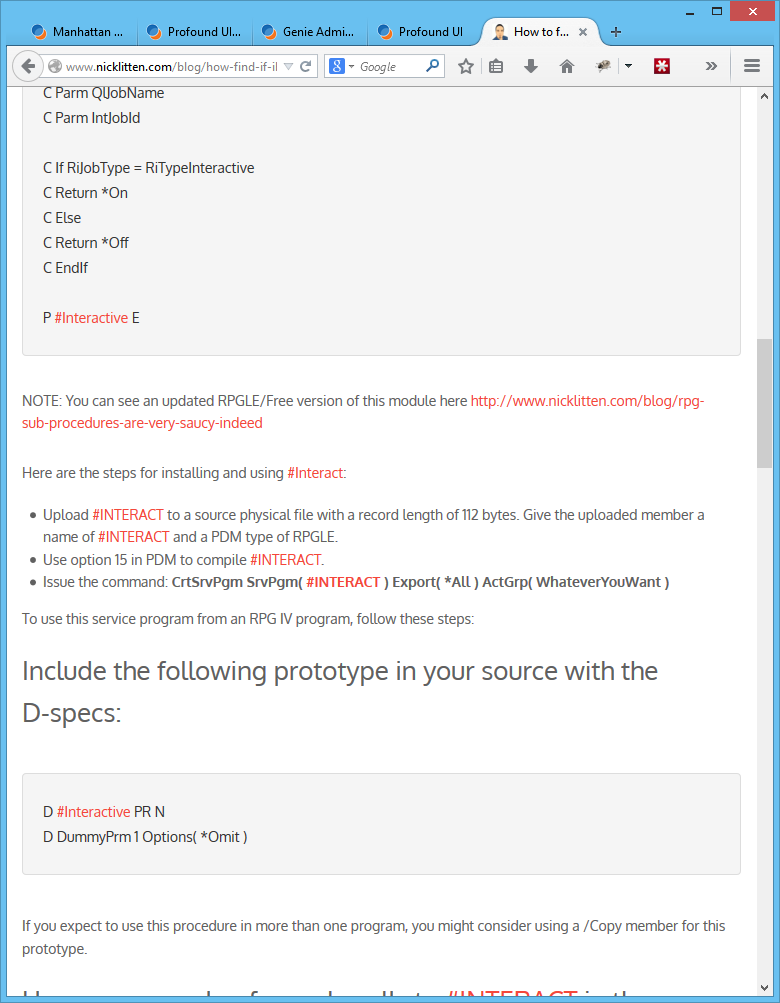
But I really wanted the the code to POP out – so delved into the world of theming Drupal. I soon, discovered that it’s not as complicated as you might think.
So lets replace the <PRE> CSS tag with a new one to make code quotes automagically look like this:
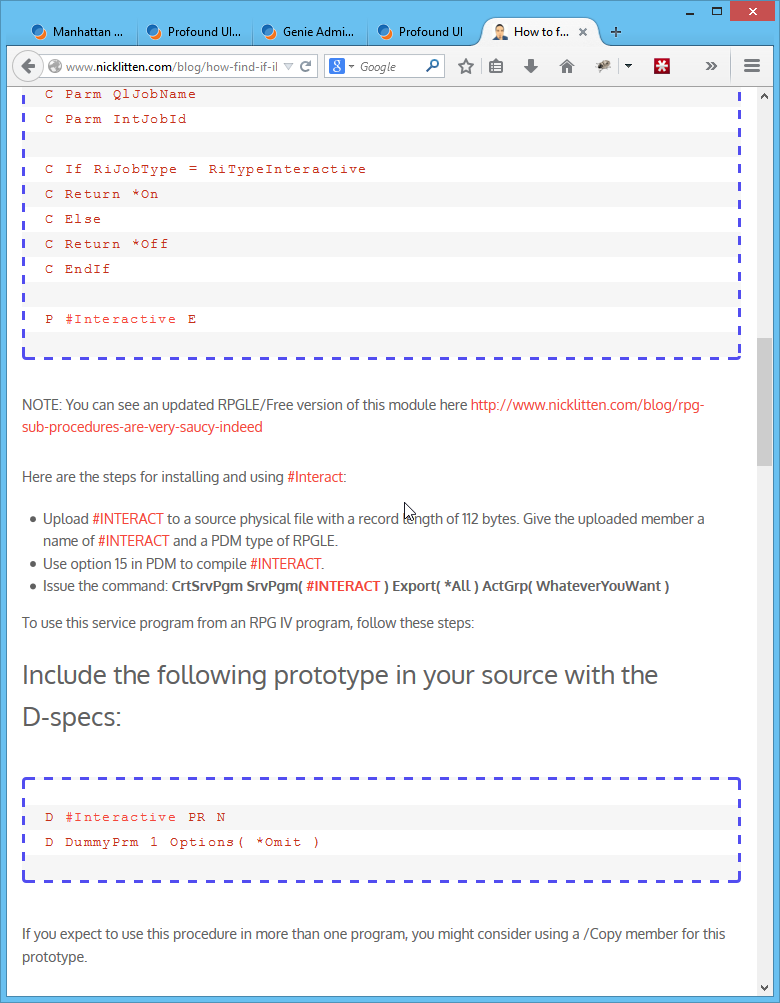
The nice effect of changing the drupal themes CSS is that it takes effect immediately and covers everything on the site.
Lets walk through how I did it:
1 – create a new CSS file in the theme folder
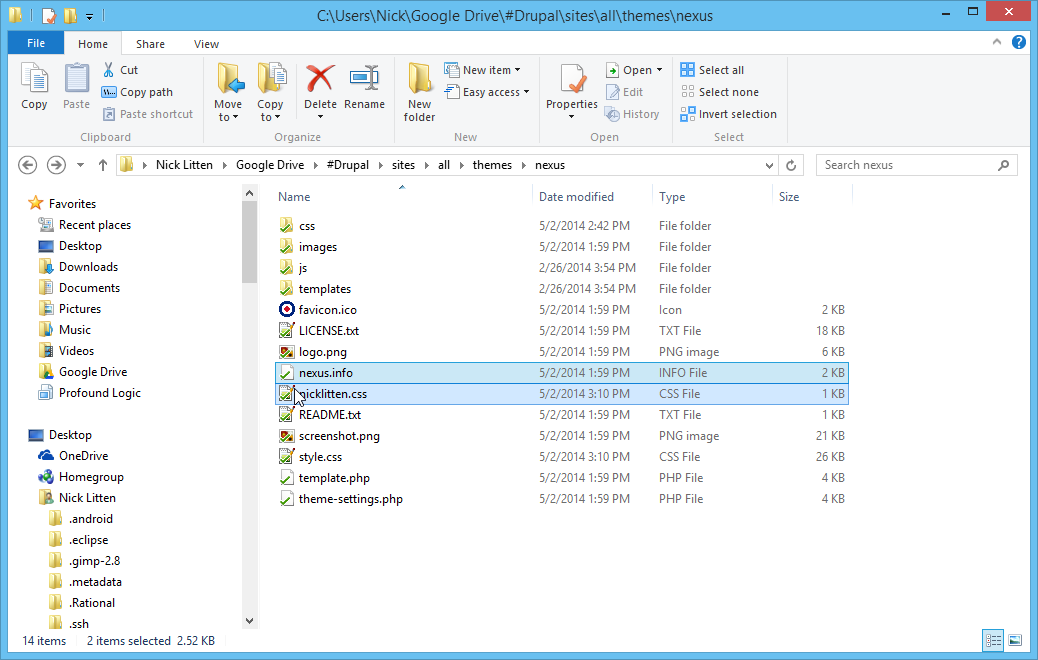
In this case I am using ../sites/a;;/themes/nexus so I created a new file called nicklitten.css
Look in your Drupal Theme directory and you should see something like this:
Edit your *.THEME file
You will need to edit the THEME file to tell it to LOAD your new CSS. Simply edit NEXUS.THEME (or your *.theme) file and add a line that says:
stylesheets[all][] = nicklitten.css
it should look something like this:

Now you can just edit your new CSS file to add anything you like.
In this case – I added:
pre {
 background: #fff url("images/pre-bg.png") repeat;
 margin: 40px 0px;
 padding: 25px 20px;
 line-height: 25px;
 border: 1px solid #ddd;
 white-space: pre-wrap;
 white-space: -moz-pre-wrap;
 white-space: -pre-wrap;
 white-space: -o-pre-wrap;
 word-wrap: break-word;

 /* added by Nick Litten */
 border: 3px dashed #524DF0;
 letter-spacing:1pt;
 word-spacing:1pt;
 text-align:left;
 font-weight:normal;
 font-size:14px;
 color:#C4301A;
 font-family:courier new, courier, monospace;

}
And that is that.
ps: http://csstxt.com/ is a very cool site that lets you tinker with various CSS setting until you find the one you like
