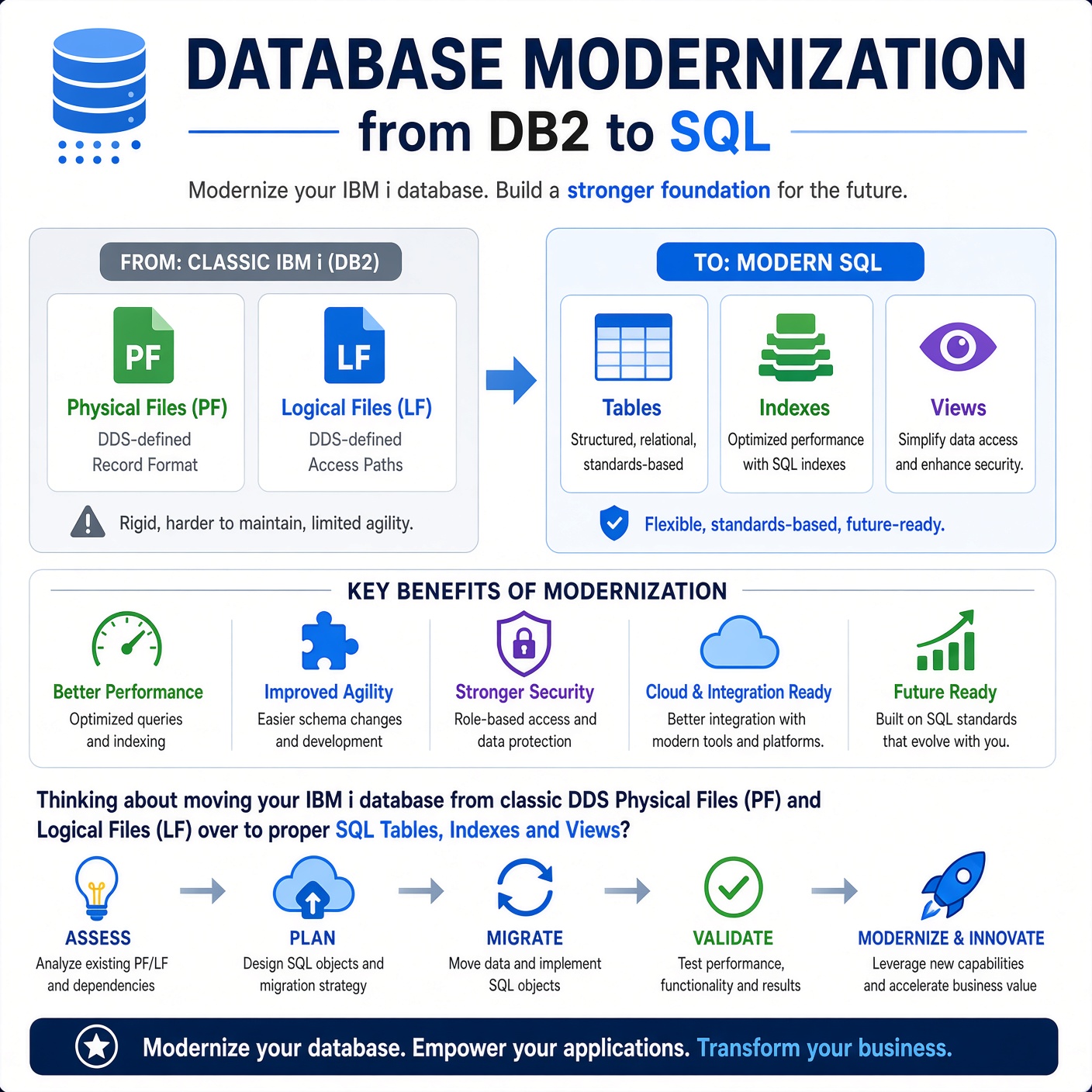
About Database Modernization - from DB2 to SQL
Thinking about moving your IBM i database from traditional DDS Physical Files and Logical Files to modern SQL Tables, Indexes and Views? The good news is that database modernization does not have to be a risky big-bang rewrite. When done correctly, your existing RPG, CL and SQLRPGLE applications can continue running unchanged while you gain better performance, stronger data integrity, longer and more meaningful column names, real database constraints, and a structure that the SQL query optimizer can fully exploit. In this course, we will focus on practical, hands-on techniques including the business benefits of modernization, safe conversion methods that preserve existing field definitions, replacing logical files with SQL indexes and views, and modernizing legacy data types such as YYMMDD numeric dates into true DATE and TIMESTAMP columns. Expect real-world examples, useful IBM i commands, and plenty of working code with no theory for theory’s sake.
So - You are thinking about moving your IBM i database from classic DDS Physical Files (PF) and Logical Files (LF) over to proper SQL Tables, Indexes and Views?
This is not a big-bang rewrite. Done carefully, most of your existing RPG, CL and SQLRPGLE code keeps running with zero changes. You get better performance, stronger data integrity, longer column names, real constraints, and a database the query optimizer actually likes.
We will cover four main lessons:
- Why modernize and what you gain in performance.
- Straight conversion that keeps existing code happy (same field sizes).
- Turning logicals into indexes and views.
- Upgrading field definitions (especially those old numeric YYMMDD dates) to real DATE and TIMESTAMP columns.
Everything stays practical. Real code samples. Real IBM i commands. No theory for theory’s sake.
Module Content
Thinking about moving your IBM i database from traditional DDS Physical Files and Logical Files to modern SQL Tables, Indexes and Views? The good news is that database modernization does not have to be a risky big-bang rewrite. When done correctly, your existing RPG, CL and SQLRPGLE applications can continue running unchanged while you gain better performance, stronger data integrity, longer and more meaningful column names, real database constraints, and a structure that the SQL query optimizer can fully exploit. In this course, we will focus on practical, hands-on techniques including the business benefits of modernization, safe conversion methods that preserve existing field definitions, replacing logical files with SQL indexes and views, and modernizing legacy data types such as YYMMDD numeric dates into true DATE and TIMESTAMP columns. Expect real-world examples, useful IBM i commands, and plenty of working code with no theory for theory’s sake.
This module shows how to modernize a traditional IBM i database by converting DDS Physical and Logical Files into SQL Tables, Indexes and Views without rewriting your applications. By taking a careful, step-by-step approach, existing RPG, CL and SQLRPGLE programs can continue running while you gain better performance, stronger data integrity, proper constraints, and a database designed for the modern SQL Query Engine. Along the way, you'll learn why modernization matters, how to perform safe conversions that preserve compatibility, how to replace logical files with indexes and views, and how to upgrade legacy data types such as numeric date fields to true SQL DATE and TIMESTAMP columns using practical IBM i techniques you can apply immediately.
This lesson explores why moving from traditional DDS Physical Files and Logical Files to SQL Tables, Indexes and Views is one of the most valuable database modernization steps on IBM i. You'll learn how SQL-defined databases can improve performance by shifting validation from record reads to writes, provide the SQL Query Engine with better optimization information, and enforce stronger data integrity through keys and constraints. We'll also look at how SQL opens the door to modern Db2 for i features and future enhancements, all while allowing existing RPG, CL and SQLRPGLE applications to continue running with little or no change. The result is a safer, faster and more maintainable database built for the future without disrupting today's production workloads.
This lesson covers the safest and most common first step in IBM i database modernization: converting a DDS Physical File into an SQL table while keeping the existing field names, data types, lengths and record format unchanged. By preserving the external structure, existing RPG, CL and SQLRPGLE programs can continue running without recompiles or level-check issues, making the conversion virtually transparent to applications. You'll learn how to generate SQL definitions, create compatible SQL tables, migrate data, verify format levels, and safely switch production workloads to the new objects. This approach delivers immediate benefits from improved SQL optimization and database performance while providing a low-risk foundation for future enhancements such as longer column names, modern data types and stronger integrity rules.
This lesson shows how to modernize DDS Logical Files by replacing them with SQL Indexes and Views, giving Db2 for i cleaner and more flexible access paths. Simple keyed Logical Files typically become SQL indexes, while Logical Files that filter rows or present selected columns are better implemented as SQL views, often supported by indexes for performance. You'll learn how to identify the right replacement for each Logical File, understand important behavioural differences such as record ordering, and use transitional techniques that allow existing applications to continue working during the migration. By modernizing Logical Files, you simplify database design, improve optimizer effectiveness, and take another major step toward a fully modern IBM i database.
This lesson focuses on the next stage of IBM i database modernization: improving legacy field definitions to take advantage of modern SQL data types. While the initial conversion preserves compatibility, the real long-term benefits come from replacing outdated numeric date fields and similar AS/400-era structures with proper SQL DATE, TIME and TIMESTAMP columns. You'll learn how to safely convert existing data, simplify date calculations, improve data integrity, and reduce application-level validation and conversion code. The lesson also covers other worthwhile enhancements such as VARCHAR, INTEGER, BIGINT, identity columns and row-change timestamps, while explaining how to manage the necessary program recompiles in a controlled way. Following a gradual, planned approach allows you to modernize the database, improve data quality and unlock advanced Db2 for i capabilities without the risks of a big-bang migration.
A quick question that crops up regularly in the IBM i trenches is the difference between DATE and TIMESTAMP in SQL. (You wrote “datestamp”, but on IBM i we work with DATE and TIMESTAMP.)
Here is the clear, practical version.